| USDA Forest Service |  |
| USDA Forest Service | |
|
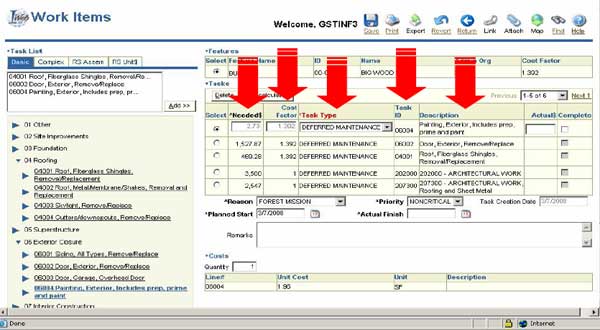
Notice that for a new task, certain fields are already filled in. In the Buildings application, for each new task that you add using the Basic or Complex tab, the application provides the needed dollars, the cost factor, the task type (which defaults to Deferred Maintenance, but you can edit it), the task ID, and the task description. |
| |
 Back | Next Back | NextCover Page Home |
24 of 33 |